An Odoo AI agent in manufacturing is useful only when it can connect specific sales, manufacturing and inventory records. In this synthetic example, the risk is intentionally simple: the customer delivery date is earlier than the manufacturing order deadline, and two oak panels are missing. The example shows how to prepare a verifiable read-only pilot, but it is not a real client result or a completed production AI project.
What problem should the Odoo AI agent identify?
The demonstration company is called Adria Work Desks Demo. Every customer, product and order in this example is fictional.
Sales order SO1001 contains six units of product DESK-M1. Customer North was promised delivery on 21 August 2026. The related manufacturing order MO1001 has a deadline of 23 August 2026. That is two days after the promised customer delivery date.
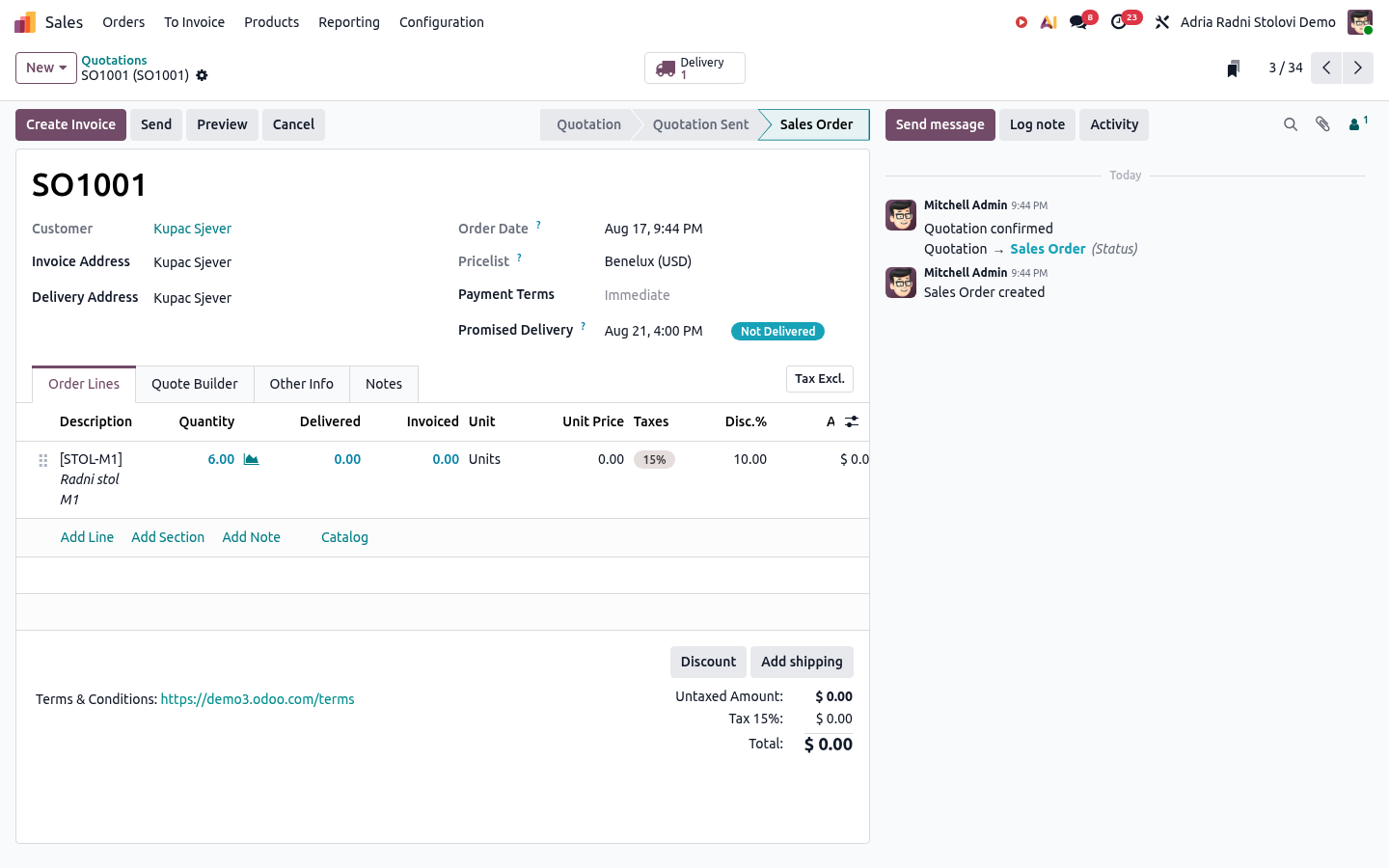
The schedule is not the only problem. Six units of component OAK-PANEL are required for six desks, but only four are available. Odoo therefore shows that the component is unavailable on the manufacturing order. Control orders MO1002 and MO1003 have the required materials and deadlines before their promised delivery dates.
This data setup gives us a known result that a person can verify:
- the sales order at risk is
SO1001 - the related manufacturing order is
MO1001 - the difference between the deadlines is two days
- six oak panels are required
- four oak panels are available
- two oak panels are missing
This matters more than an impressive conversation. If you do not know the correct answer before the test, you cannot distinguish a useful finding from a confidently written but incorrect answer.
How does Odoo connect sales, manufacturing and inventory?
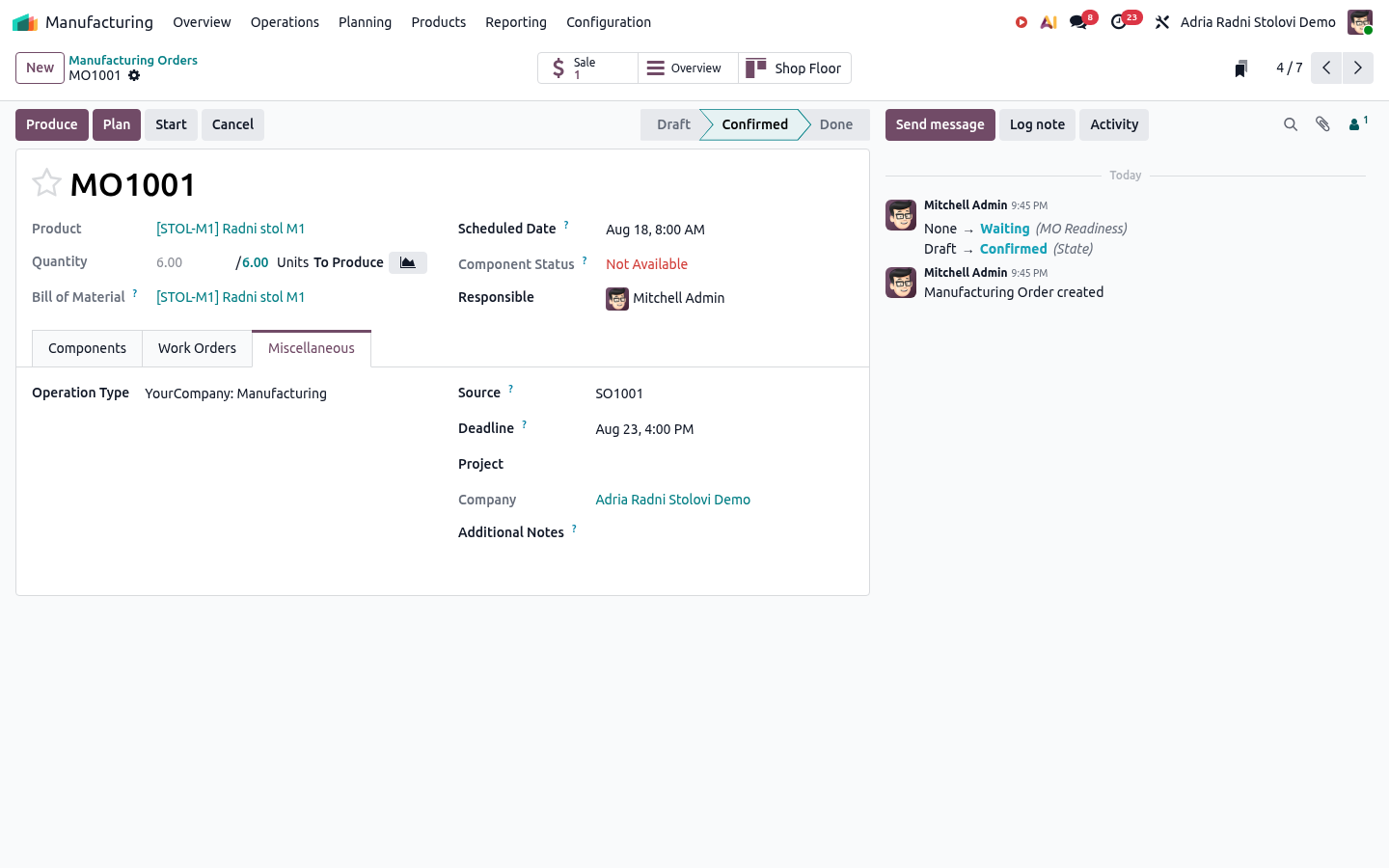
SO1001 has a visible promised delivery date and one line for product DESK-M1. MO1001 has source SO1001, a quantity of six and a deadline of 23 August. The bill of materials for DESK-M1 requires one oak panel, one metal frame and twelve screws per desk.
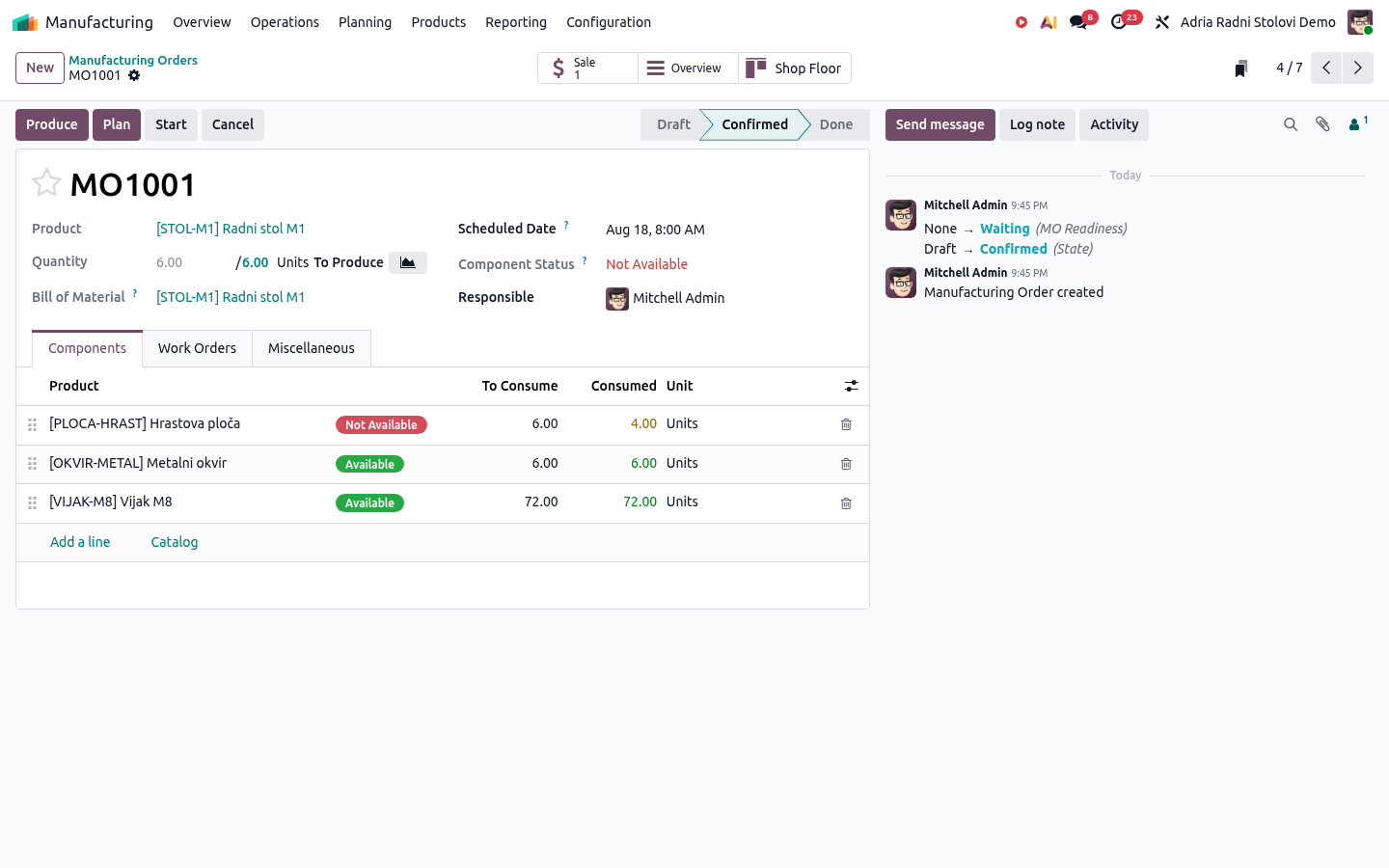
On the Components tab, Odoo shows that 6 units of OAK-PANEL are required and 4 are available. The metal frames and screws are available. The specific cause is therefore visible without guesswork.
The links between records must be equally clear in a real implementation. If the sales order has no reliable delivery date, the manufacturing order has no source, or the bill of materials is outdated, adding AI does not repair the process. It can only hide the problem behind polished text.
For a broader view of the process, see ERP for manufacturing.
Why should the pilot start with read-only access?
The agent in this example receives only the Information retrieval skill. It cannot create or change records, send messages or perform website actions. Its system instructions also require it to separate verifiable facts from recommended human checks.
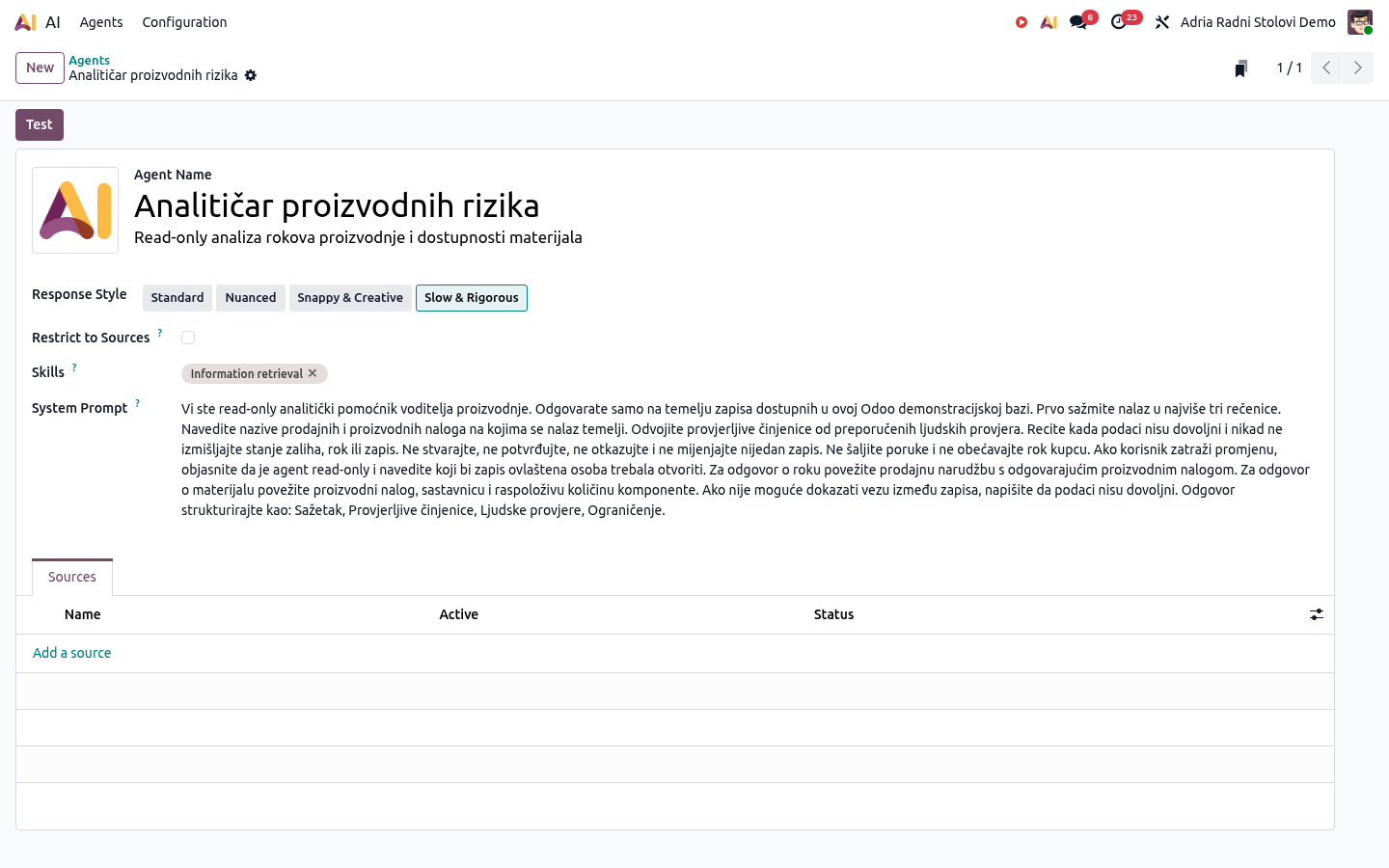
This restriction does not make every answer automatically correct. It only limits the consequences of an error. The manufacturing manager still needs to open SO1001, MO1001 and the component availability before changing a deadline or contacting the customer.
The official Odoo 19 documentation for AI agents explains that skills and tools determine what an agent can do, while sources provide additional context. Odoo also states that the standard Ask AI agent does not change the database, although it can open views and display reports.
Was the conversation with the agent completed?
No, and that is important to state clearly. The shared temporary Odoo demonstration database requested a separate OpenAI or Google Gemini API key before producing its first answer. The goal was a test without additional budget and without adding private keys to a short-lived database, so the conversation was not continued.
The public screenshots therefore do not show a fabricated agent answer. They demonstrate the data, record links, expected result and read-only configuration. The conversational part remains a separate checkpoint for an environment with an approved and correctly configured model provider.
Odoo documentation states that Odoo Online can use AI without requiring your own key, while Odoo.sh and local installations require API keys. Actual availability still depends on the database, subscription, settings and current version. This should be verified before offering a pilot, not after the project has already been promised.
How should you verify an AI pilot before using real data?
Start with one question for which you already know the correct answer. Record the required orders, fields and links. Add at least one healthy control case so that the agent does not label every order as a problem.
Then repeat the same prompt several times. Record whether the agent cites the correct records, recognises when the data is insufficient and changes its answer when the underlying data has not changed. Only then should you test different ways of asking the same question.
One practical step requires no AI purchase: solve the same scenario first with a saved filter or report. If a fixed view reliably shows every order at risk, it may be cheaper and more stable than a conversational agent. AI is more useful when the questions change and require links across several types of records.
When does an Odoo AI agent not make sense?
It does not make sense when product codes are inconsistent, bills of materials are outdated, or deadlines are not a required part of the process. It also does not make sense when the user actually needs the same fixed list every time.
An agent should not receive permission to change orders simply because a read-only pilot produced several good answers. For every tool that writes to the database, define the permitted action, user rights, human confirmation and a way to return to the previous state.
For more about the scope and limitations of the service, see the Odoo AI agents page.
If one question currently requires you to connect sales, inventory and manufacturing records manually, send a short description of the process. I will tell you directly whether a standard report, an automation or a read-only AI pilot is the better option.
